Login Location Report
The Login Location Report provides a geographic view of user login activity, success rates, and the associated risk levels. This report helps in identifying login patterns, potential threats, and unusual sign-in behaviors from various global locations.
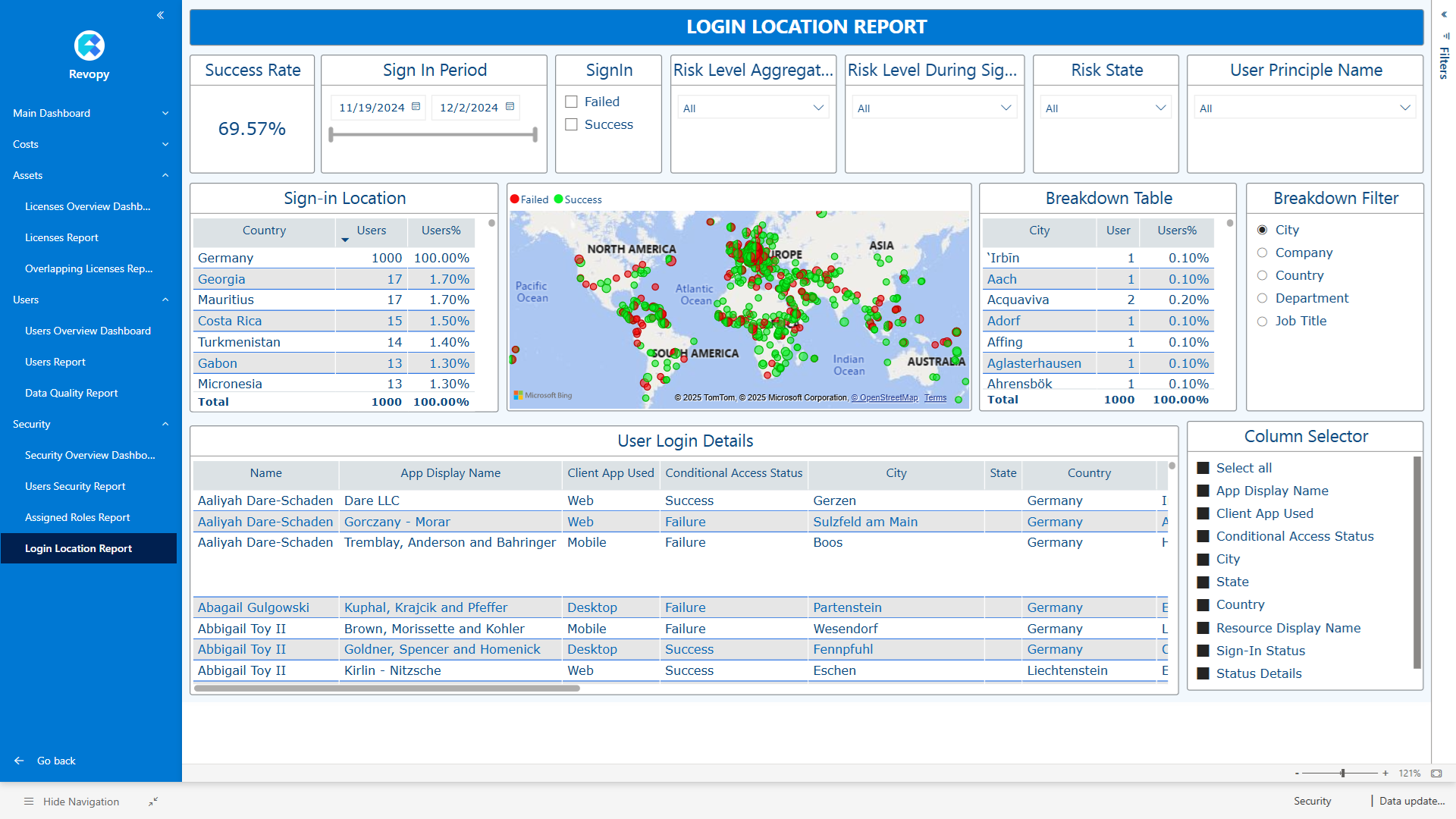
Filter Section

- Success Rate: Displays the percentage of successful sign-ins.
- Sign In Period: Filter login events based on the time range.
- SignIn: Toggle between successful or failed login attempts.
- Risk Level Aggregated: Filter logins by their overall risk level.
- Risk Level During SignIn: Filter based on risk level evaluated at the time of sign-in.
- Risk State: Filter by the evaluated risk state.
- User Principal Name: Search and filter logins by specific user proncopal name.
Information and Breakdown Section

- Sign-in Location: Table summarizing login attempts by country and the percentage of users from each.
- Map Visualization: Interactive map indicating locations of successful (green) and failed (red) login attempts.
- Breakdown Table and filter: Define the dataset that shows user details.aN
- Breakdown Filter: Select the filtering criteria for the breakdown.
User Detail Table and Display Setup
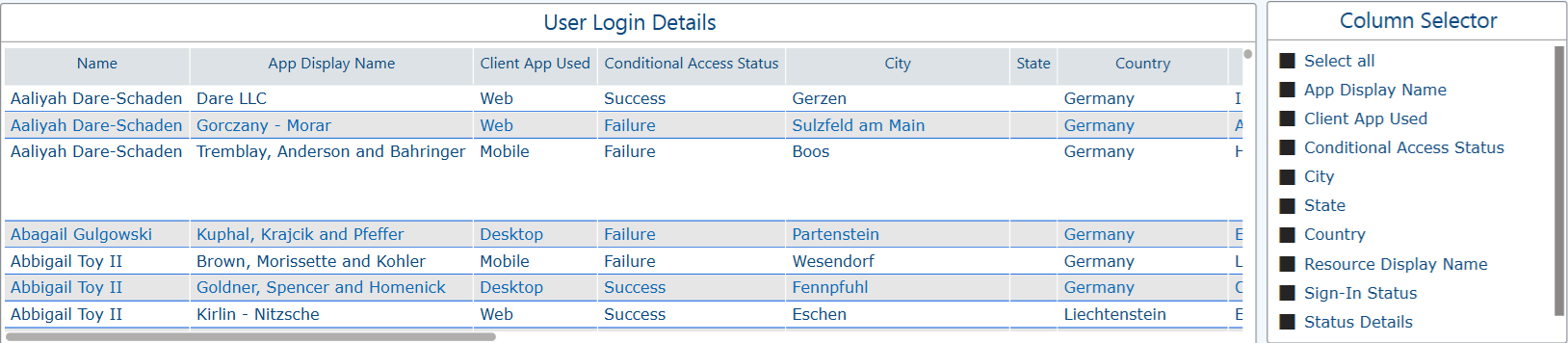
- User Detals:Displays detailed logs for each user login event after all filters have been applied.
- Column Selector: Selection of data/columns to be displayed in user login.